

Easy & Intuitive Yearbook Software

Creator Studio™ allows you to manage your yearbook staff through the design process. Our online tool gives your staff creative freedom with professional tools, easy-to-use workflows, and reliable cloud technology for a faster experience.
Design. Collaborate. Sell.

Professional Design Tools
Variety of design tools to give you as much creative control as possible.
Team Management
Invite each team member and easily assign pages to them.


Ladder and Page Management
See your pages, progress, page assignments and more from the fast-loading ladder.

PSPA Portrait Import
Easily build people pages from PSPA import. Build and adjust portrait layouts.
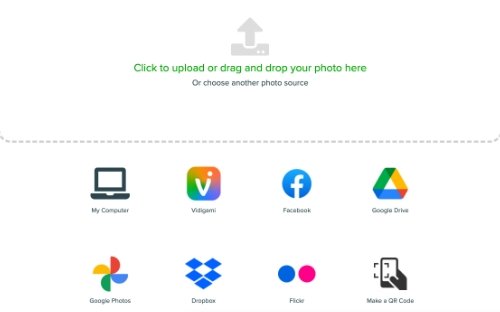
Photo Import
Import from various sources, including Facebook, Flickr, Google, and Dropbox.

People Tagging and Indexing
Tag people in photos and auto-generate an index.

Online Store
Manage pricing and sales with an online yearbook store.

Parent Ads
Enable the ad builder so parents can design, purchase and submit ads to the project.
Watch the Creator Studio Tour
Frequently Asked Questions
Thinking about creating your school yearbook with Creator Studio Pro, Picaboo Yearbooks’ online yearbook design software? Here are answers to the questions we hear most from yearbook advisers, teachers, student staff and volunteers. Don’t see what you’re looking for? Reach out to one of our yearbook specialists for a personalized answer.
What is the best yearbook design software? Creator Studio from Picaboo Yearbooks is easy, intuitive online yearbook software built for student staffs and first-time advisers. It includes professional design tools, team page assignments, a ladder view, PSPA portrait import, people tagging with an auto-generated index, photo import from Google, Dropbox, Facebook and Flickr, and an online yearbook store.
What is the easiest yearbook software for students? Creator Studio from Picaboo Yearbooks is designed so students can jump in quickly. It runs online, comes with pre-made yearbook themes and layouts, and the October 2026 update added AutoFlow (fill a layout with photos in one click), favorite fonts, copy formatting and multi-select text editing to cut down on clicks.
Can my whole yearbook staff work on the book at the same time? Yes. In Creator Studio, the adviser invites each team member and assigns pages. The ladder view shows every page's progress and assignment, so the whole staff can design different spreads at once.
How do I make an index in my yearbook? Creator Studio from Picaboo Yearbooks lets you tag people in photos and automatically generates the yearbook index from those tags, so you don't have to build it by hand.
How do I import school portraits into my yearbook? Creator Studio supports PSPA portrait import. Upload the PSPA files from your school photographer and Creator Studio builds your people pages, which you can then adjust to fit your design.
How do I fill yearbook pages with photos faster? Use AutoFlow in Creator Studio. Choose a layout, go to the Layout tab, select AutoFlow Photos, pick a photo folder and click AutoFlow. Every empty photo spot fills in seconds.
Can I use Canva to design my yearbook? Yes. Picaboo Yearbooks works with Canva. Schools that want built-in yearbook tools like portrait import, indexing and page assignments can design in Creator Studio instead.
Can Picaboo design the yearbook for us? Yes. Picaboo Yearbooks offers SPA Designer Services, where Picaboo designers help create covers or a fully designed book for schools and organizations that need extra help.
How Can We Help?
Want to learn more about Picaboo Yearbooks? Request more information from one of our sales professionals.Already a Picaboo Yearbooks customer and looking for some help? We’ve got your back.