
Picaboo Yearbooks’ 2023 - 2024 SChool Annual yearbook Program

Picaboo Yearbooks’ annual yearbook program, Creator Studio fits every yearbook editor’s design and financial needs. We believe that no two annual yearbook programs are the same and that’s why we provide the most personalized yearbook software and service in the world.
Our Services
Creator STudio: Yearbook Software
Our most popular annual yearbook program and loved by all who use it. Creator Studio is the best yearbook software for those who want to seamlessly produce their yearbook.
Yearbook Designer Service
Our design team is here to help you build your annual yearbook from the ground up. From a custom cover to full book and theme design, we’re here to help.
Yearbook Templates
Are you more familiar with other programs like Canva, InDesign, and Photoshop? That’s okay! We have downloadable templates to work with your favorite software. We can even help upload it to Creator Studio to seamlessly use our free store.
Design. Collaborate. Sell.

Professional annual Yearbook Design Tools
Variety of design tools to give you as much creative control as possible.
Team Management
Invite each team member and easily assign pages to them.


Ladder and Page Management
See your pages, progress, page assignments and more from the fast-loading ladder.

PSPA Portrait Import
Easily build people pages from PSPA import. Build and adjust portrait layouts.
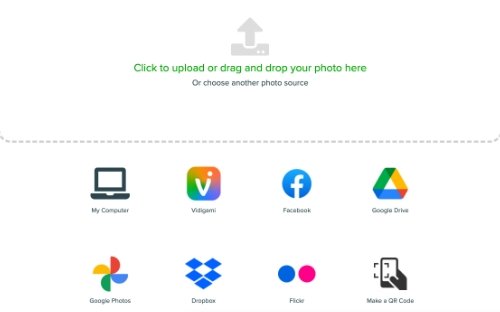
Photo Import
Import from various sources, including Facebook, Flickr, Google, and Dropbox.

People Tagging and Indexing
Tag people in photos and auto-generate an index.

Online Store
Manage pricing and sales with an online yearbook store.

Parent Ads
Enable the ad builder so parents can design, purchase and submit ads to the project.
Watch the Creator Studio Tour
How Can We Help?
Want to learn more about Picaboo Yearbooks? Request more information from one of our sales professionals.Already a Picaboo Yearbooks customer and looking for some help? We’ve got your back.