
The image features the logo of

Easy & Intuitive Yearbook Software

A person working on a laptop in a classroom, designing a magazine or newsletter layout with a grid of images and text.

Creator Studio™ allows you to manage your yearbook staff through the design process. Our online tool gives your staff creative freedom with professional tools, easy-to-use workflows, and reliable cloud technology for a faster experience.

Design. Collaborate. Sell.

Screenshot of a graphic editing software with text options, showing a blue box with the words "Streaming Wars" and a font selection labeled "Century Gothic".

Professional Design Tools

Variety of yearbook design tools to give you as much creative control as possible.

Team Management

Invite each team member and easily assign pages to them.

Screenshot of an online form with fields for first name, last name, email, and role, alongside options for page assignments with checkboxes for each page and task.
Screenshot of a project management interface showing two pages, numbered 112 and 114, both marked 'In Progress.' Page 112 contains a design with a bear and trees, while page 114 has a layout with a placeholder for an event name and various grid elements.

Ladder and Page Management

See your yearbook pages, progress, page assignments and more from the fast-loading ladder.

School yearbook collage of students' portraits with names and class designation, including headings 'FRESHMEN' and class year.

PSPA Portrait Import

Easily build people pages from PSPA import. Build and adjust portrait layouts easily from our yearbook software.
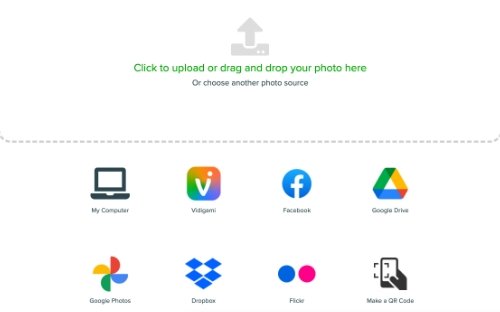
Screenshot of cloud storage and sharing service icons including My Computer, Videgi, Facebook, Google Drive, Google Photos, Dropbox, Flickr, and Make a QR Code

Photo Import

Easily import photos for your yearbook from various sources, including Facebook, Flickr, Google, and Dropbox.

A group of young people on stage during an awards ceremony, with several individuals holding plaques and smiling.

People Tagging and Indexing

Tag people in photos and auto-generate an index.

Sales dashboard showing total orders, sales, profit, and progress toward orders goal with a green view all orders button.

Online Store

Manage pricing and sales with an online yearbook store.

A form for creating an advertisement with fields for student name, student grade, and ad size selection. Advertisement sizes include full page, half page, quarter page, eighth page, and love line, with respective prices and selection checkboxes. There is a "Design My Ad" button at the bottom.

Parent Ads

Enable the ad builder so parents can design, purchase and submit ads to the yearbook.

Watch the Creator Studio Tour

How Can We Help?

Want to learn more about Picaboo Yearbooks? Request more information from one of our sales professionals.
Already a Picaboo Yearbooks customer and looking for some help? We’ve got your back.